
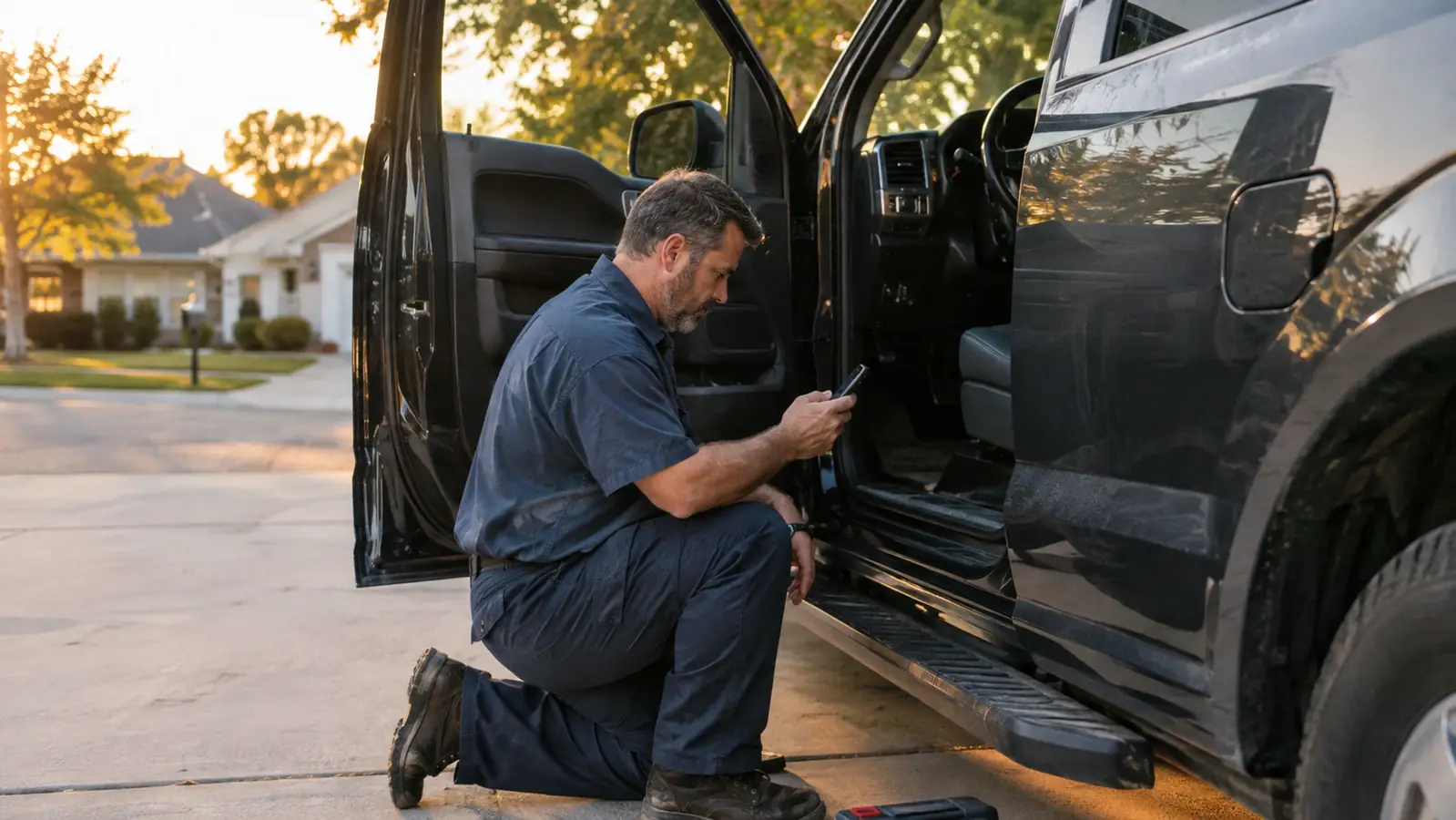
The check engine light comes on and your stomach drops, because you have no idea if it's a loose gas cap or a major repair. I've been a working mechanic for about 30 years, and I can tell you the fear is the worst part. Most people do one of two things: they ignore the light until the car starts running rough, or they pay a shop to read a code they could have pulled themselves in five minutes. Neither one is necessary. If you can plug in a phone charger, you can read those codes yourself, and the BlueDriver OBD2 scanner is the tool that lives in my truck for exactly this job.
My daily driver is a 2016 Ford F-150 XLT with the 3.5L EcoBoost V6, and it's past 140,000 miles, so it talks to me on a regular basis. Every time that light comes on, the BlueDriver is the first thing I grab. I spend my workdays with a full shop scanner, but in my own driveway I want an answer in two minutes, not a lecture. The BlueDriver gives me the code, the plain-English explanation, and the freeze frame data that tells me what the engine was doing when the code set. That last part is the difference between guessing and knowing. Here's the whole process, step by step.
Find out what that light is really saying
The BlueDriver plugs into the OBD-II port under your dash and talks to a free app on your phone. No subscription, no training, and it reads engine, ABS, airbag, and tire pressure codes. When the light comes on, you'll know what you're dealing with in about two minutes.
Amazon Check Today's Price on Amazon →Before You Start
You need three things: the BlueDriver adapter, a phone with the app installed, and a little patience. That's it. You don't need a laptop, you don't need a shop manual, and you don't need to know the difference between a sensor and a solenoid. The scanner does the heavy lifting, and the app explains what it finds in language a person can read. If you've changed your own oil, you're already overqualified.
Pick a quiet time for the first scan. You want ten minutes without a deadline, because the first time you read codes you'll want to read them twice and look things up. Park in the driveway, put the parking brake on, and set the phone on the seat where you can see it. The whole scan takes about two minutes, but the learning part takes as long as you let it.
Step 1: Find the OBD-II Port and Plug In the Adapter
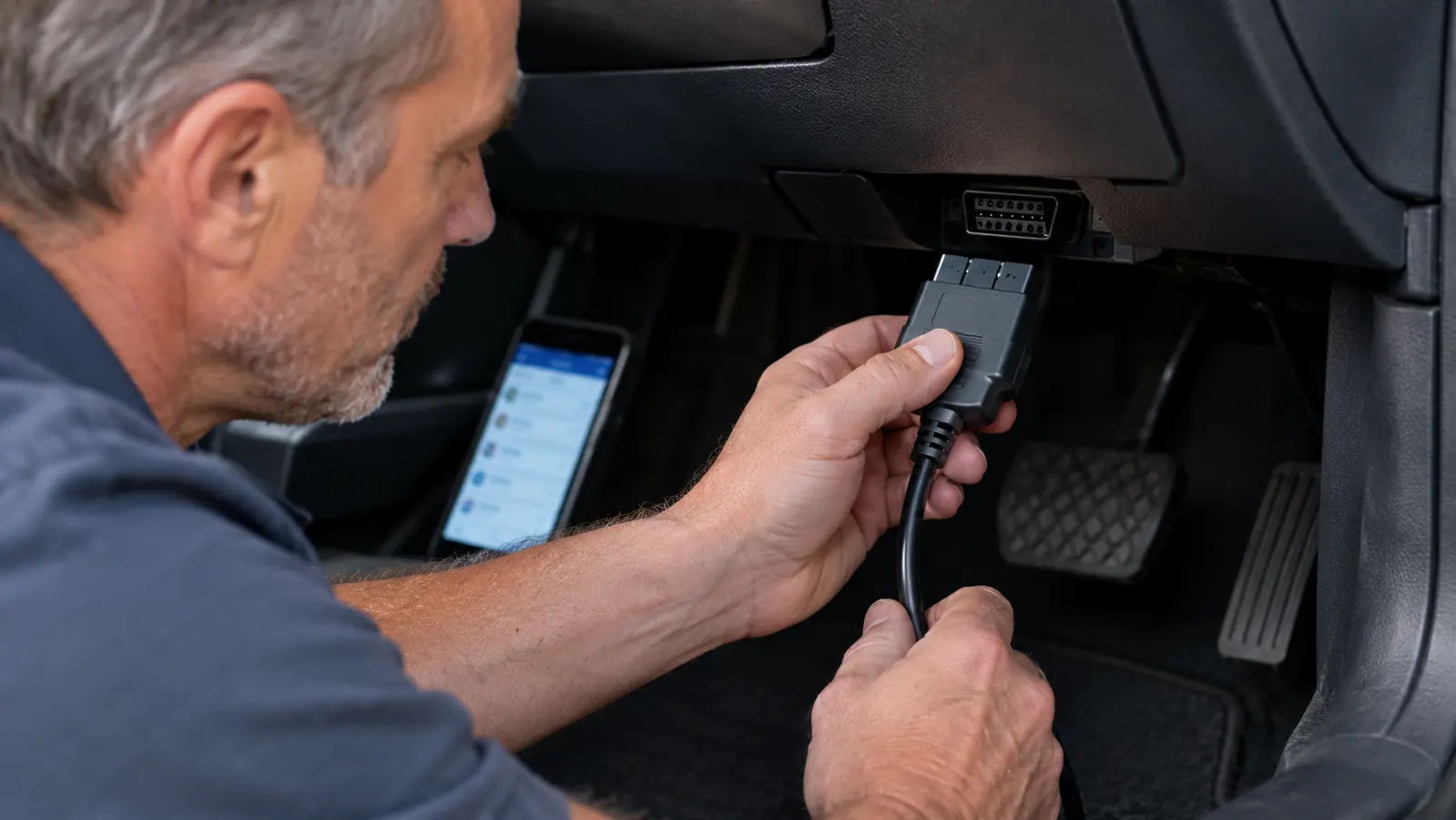
Every car and light truck sold in the US since 1996 has the same 16-pin diagnostic port, and it's always within reach of the driver. On most vehicles it's under the dash on the driver's side, near the hood release or the fuse panel. On my F-150 it's just below the steering column, angled toward the door. If you can't see it, run your hand along the underside of the dash; you'll feel the trapezoid connector before you see it. Some vehicles hide it behind a small cover or a coin tray.
The BlueDriver adapter plugs straight into that port. It only goes in one way, and when it seats, it clicks. You don't need the engine running to read codes. Put the key in the accessory position, or just leave it in the run position with the engine off. The adapter's light comes on when it's powered, and that's your signal that the scanner is alive and waiting.
One thing to know before you start: the port is meant to handle a plug that stays in. If you plan to use the BlueDriver regularly, you can leave it plugged in, but I take mine out when I'm done. It sticks out far enough to bump a knee on, and a knee on a plastic connector is how ports get cracked. Two seconds to pull it, two seconds to plug it back in.
Step 2: Pair the Adapter and Run the Scan
Download the free BlueDriver app on your phone and create an account. The account is free, and it's how the app keeps your scan history and lets you email reports. Turn on Bluetooth, and the app walks you through pairing. It takes about a minute the first time, and it remembers the adapter after that.
Once it's paired, tap the scan button and give it a few seconds. The BlueDriver doesn't just read the engine computer. It reads every module on the network: the powertrain codes, the ABS codes, the airbag system, and the tire pressure monitor. A cheap code reader stops at the engine, which means it can miss the code that's actually causing your problem. I've seen a car come into the shop with the brake light on and no engine code at all, and a reader that only speaks to the engine would have told you the car was fine.
If the adapter won't pair, don't fight it. Close the app, turn Bluetooth off and on, and try again. Nine times out of ten that's all it takes. The adapter and the phone just need to see each other fresh. Also make sure the key is on. The port has no power when the ignition is off, and a scanner with no power is just a piece of plastic.
Step 3: Read the Code, Then Don't Jump to Conclusions
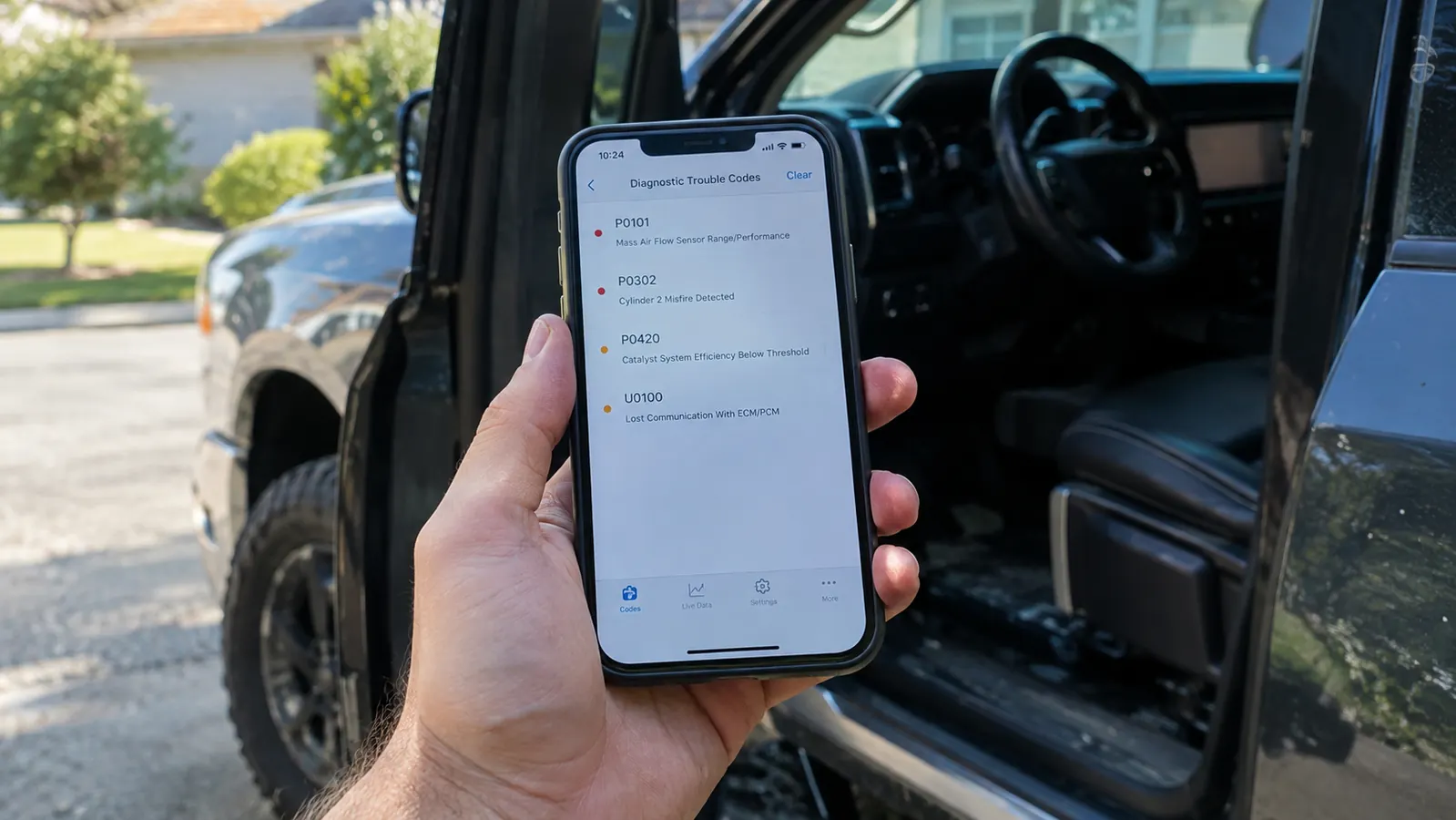
Here's the part that separates a good DIYer from a parts cannon. A code is not a diagnosis. It's a clue. A P0301 tells you cylinder 1 is misfiring. It does not tell you whether the spark plug is worn, the ignition coil is weak, the fuel injector is dirty, or the cylinder has lost compression. I've seen people throw three parts at a misfire and still have the light come back on, because they fixed the symptom they guessed at instead of checking the data.
So the first thing you do with a code is write it down, including the little letter that comes before it. P codes are powertrain. B codes are body. C codes are chassis. U codes are network communication. The letter tells you which system to think about, and the number narrows it down. If you see a U code, for example, you're probably chasing a wiring or module problem, not a mechanical one.
Then ask yourself what you know about the car. When did the light come on? Was it after a fill-up, which points to an EVAP leak, usually a loose gas cap? Was it on a cold morning, which points to a sensor or a vacuum leak? Was the car running rough, or did the light just appear with no change in how it drives? That context, plus the code, is usually enough to tell you if this is a fix-it-now or a keep-an-eye-on-it.
Step 4: Check the Freeze Frame and Live Data
This is where the BlueDriver earns its keep. Every time a code sets, the engine computer takes a snapshot of what was happening at that exact moment: engine speed, vehicle speed, coolant temperature, fuel trim, throttle position, and more. That snapshot is called freeze frame data, and the BlueDriver shows it to you right next to the code.
The freeze frame tells you the story of the failure. A misfire code with a cold engine and idle speed in the freeze frame is a different animal than the same code with the engine at operating temperature and the tach at 3,500 rpm under load. My own truck threw a misfire code last spring, and the freeze frame showed it happened at low speed and part throttle on a cool morning. That pointed me toward the ignition coil on that cylinder instead of a fuel or compression problem, and I was right. Two minutes of data saved me from chasing the wrong fix.
The live data screen takes it a step further. You can watch sensor values in real time while the engine runs, and you can watch how they behave as the engine warms up. If you think the oxygen sensor is bad, you can watch the voltage swing. If you think the fuel system is running lean, you can watch the fuel trims climb. If the trims are pegged near their limit, you have a vacuum leak or a dirty mass airflow sensor, not a dead oxygen sensor. A reading that moves smoothly through its range is usually a sensor that is fine. A reading that sticks, jumps, or sits pinned at a limit is a reading worth chasing. That's the difference between knowing and guessing, and it's the reason I reach for the BlueDriver instead of a plain code reader.
Step 5: Fix It, Clear the Code, and Verify the Work
Once you know what you're dealing with, you have three paths: fix it yourself, take it to a shop with a head start, or decide it can wait. The BlueDriver app has a built-in repair report that shows the most likely fixes for the code, based on reported fixes from other users. It's not gospel, but it's a sensible starting point, especially for common codes like the P0300 misfire family or a P0420 catalyst efficiency code.
If you fix it yourself, clear the code with the app and go for a drive. The important part is the drive cycle. Many monitors only run after the engine has warmed up and the car has been driven through a range of speeds, so a five-minute trip around the block isn't enough to prove the fix worked. Drive it for a day or two under normal conditions, then rescan. If the code comes back, the fix didn't take, and you're back to looking at the data.
If the repair is beyond you, take the freeze frame data and the repair report with you to the shop. A good mechanic will appreciate the head start, and you'll save the diagnostic time that would have gone into finding the same information. You'll still pay for the repair, but you won't pay for an hour of 'let's figure out what this is.' One more thing: in most states, a car with a check engine light on and a code that hasn't been cleared won't pass an emissions test, and clearing the code right before the test doesn't help if the monitor hasn't run its cycle. Fix it for real, then test it.
What Else Helps
The BlueDriver will get you 90 percent of the way there, but a few things make the job easier. A bright work light is the first one. The OBD-II port lives in a dark footwell, and the connector can be hard to see, especially in a truck with a deep dash. A magnetic work light you can stick to the door frame makes the first step a five-second job instead of a fumbling one.
A notebook, or the scan history in the app, is the second thing. Write down the date, the code, and what the engine was doing when the light came on. That history is gold when a code comes back months later, because you'll know whether it's the same problem returning or a new one. I keep the app's report feature handy, too. You can email yourself a report that shows the codes, the freeze frame data, and the repair suggestions, which is a clean record to hand a shop if you decide the job is over your head.
And if you're new to this, spend a little time learning what the common codes mean for your specific vehicle. Forums and shop manuals are full of people who have already chased the same code on the same engine. Their experience will save you time, but treat their answers as leads, not verdicts. Your freeze frame data is the tiebreaker.
One caution: don't let the app's repair suggestions turn you into the person who throws parts at a problem. The report lists likely fixes in order, but 'likely' is not 'certain.' Check the freeze frame data and the live data before you buy anything. I've watched people replace two sensors and a module for a code that turned out to be a corroded ground wire, and the scanner told them the truth the whole time. They just didn't read it.
The freeze frame showed my truck's misfire at low speed and part throttle on a cool morning. That pointed me to the ignition coil, not a fuel or compression problem, and it was the right call.
The next time that light comes on, you'll know what it means
Plug in the BlueDriver, read the code, check the freeze frame, and decide for yourself whether it's a quick fix or a shop job. It lives in my glove box for a reason.
Amazon Check Today's Price on Amazon →